Patient Hub - Exact Sciences
Exact Sciences released Cologuard™, the at-home colon cancer screening kit, to the general public in 2014. There wasn’t any sort of digital accompaniment until Exact Sciences hired its first User Experience team. The Patient Hub was released in 2022, and it’s aim was to address the following problems:
Customers calling in to get updates on the status of their kit and test
Customers calling in to get their results (which our Customer Care agents cannot give them over the phone)
Cutting down significantly on kit gating, where we’re unable to ship a kit to a customer because we don’t have the correct information, by allowing customers to update their own information directly
I worked almost exclusively on the Patient Hub during my tenure at Exact Sciences. I worked on many different aspects of it, including leading all of the usability testing and building an entire component library in Figma.
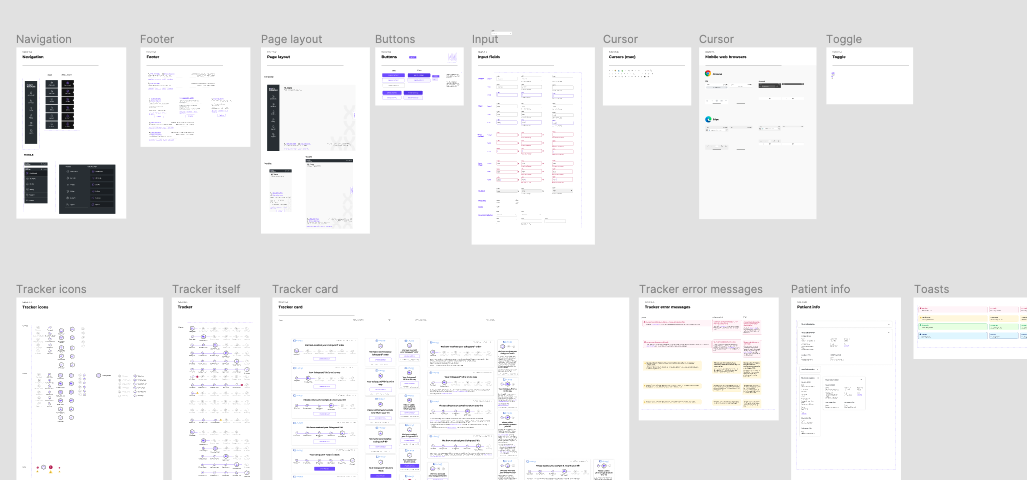
Patient Hub component library I built in Figma
Account Creation & Security
One of the largest and most complex features I worked on is the flow for creating an account and setting up multi-factor authentication on the Patient Hub. Exact Sciences deals with health data, so it’s very important that patients’ data and accounts are secure. Studies have shown that older adults trust the internet less, so making a secure account that was relatively simple to set up and easily explained was a crucial feature. For account creation I needed to make sure we were:
matching a user to their Cologuard™ order so that they could create an account (for our first version of the Patient Hub users have to have a Cologuard™ order)
having users update their contact information
having users enroll in multi-factor authentication (MFA)
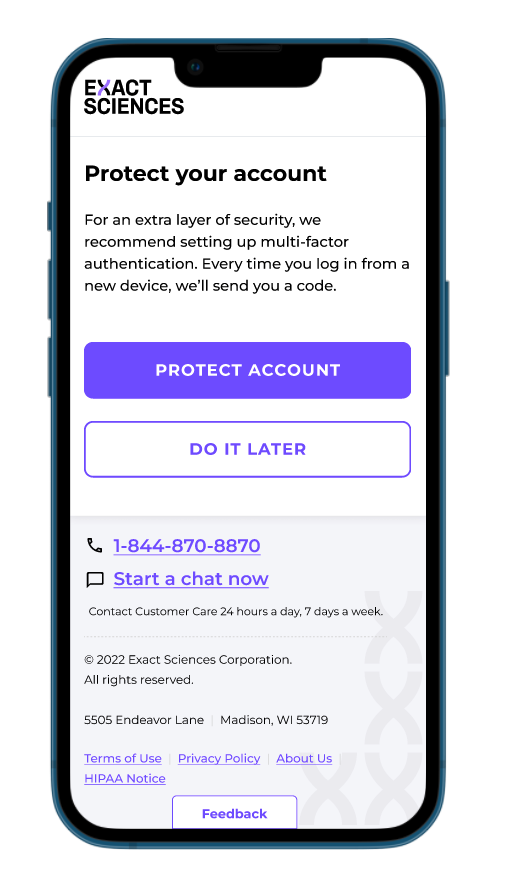
“Protect your account” account creation flow step
The Flow - Identifying, testing, and iterating
The flow for account creation is long and has many steps. Breaking up the steps into pieces that made sense were crucial for our users. Initially our flow looked something like this:

When I tested this flow with users, there were several problems that stood out.
Users assumed after filling out the match that we had their contact info and were annoyed when they had to input it again
Users did not understand the difference between verifying their match with a code and setting up multi-factor authentication and did not want to do it again
Essentially, the flow was too long with a lot of seemingly repetitive steps and we were requiring a lot of the same information.
“I didn’t expect that - I expected to go right into the app. Don’t you have this info already?”
After going over these research findings with the team, we knew it was necessary to adjust our onboarding experience. We decided to move some of the steps into the dashboard, creating a “finish onboarding” experience with some optional “to-do” items for users to complete.
I designed a new dashboard onboarding widget and we pulled setting up multi-factor authentication into the user’s profile. It had already been part of the plan to have the user be able to adjust their multi-factor authentication settings in the profile page, so it wasn’t a huge pivot.
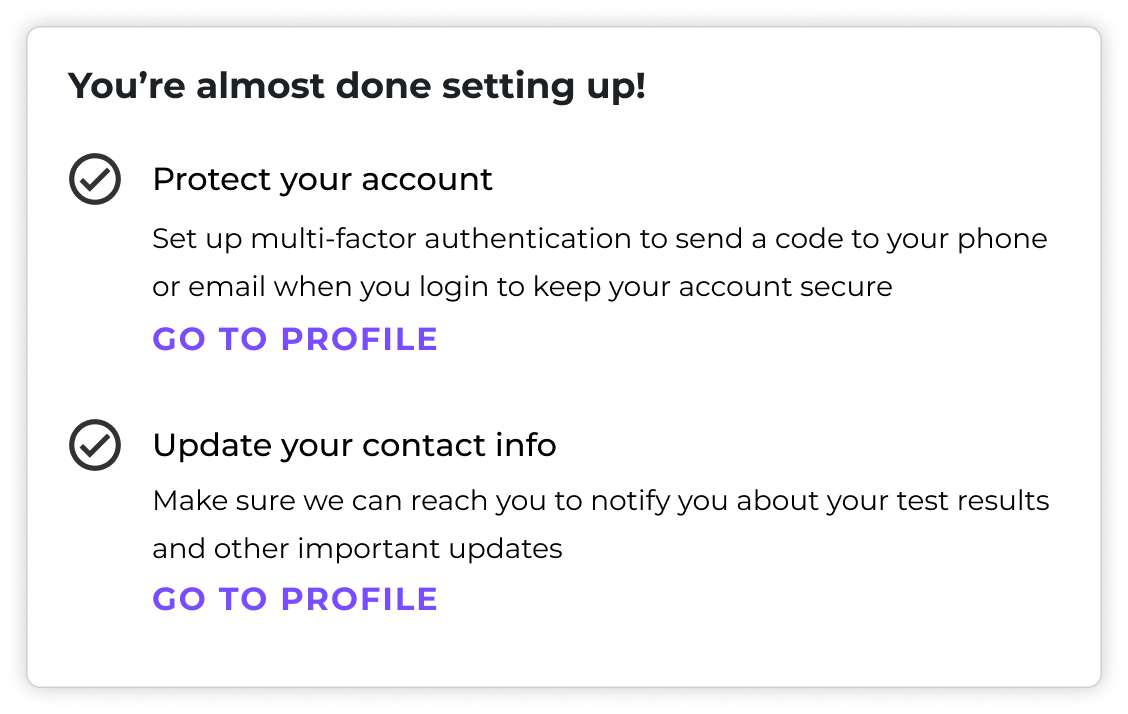
Dashboard onboarding widget
There were several iterations of the profile page with multi-factor authentication. Initially the section had an edit button matching the rest of the sections on the page, as well as a toggle to opt into multi-factor authentication and get started with setup, but users were confused during testing about which to click first, the toggle or the edit button. The next version we went to removed the edit button and simplified the experience into individual toggles so that the user could enroll any “factor” they wanted to. However, upon talking in more detail to the engineering team, we realized that this wouldn’t be feasible because there still needed to be a way to opt completely in or out of multi-factor authentication.
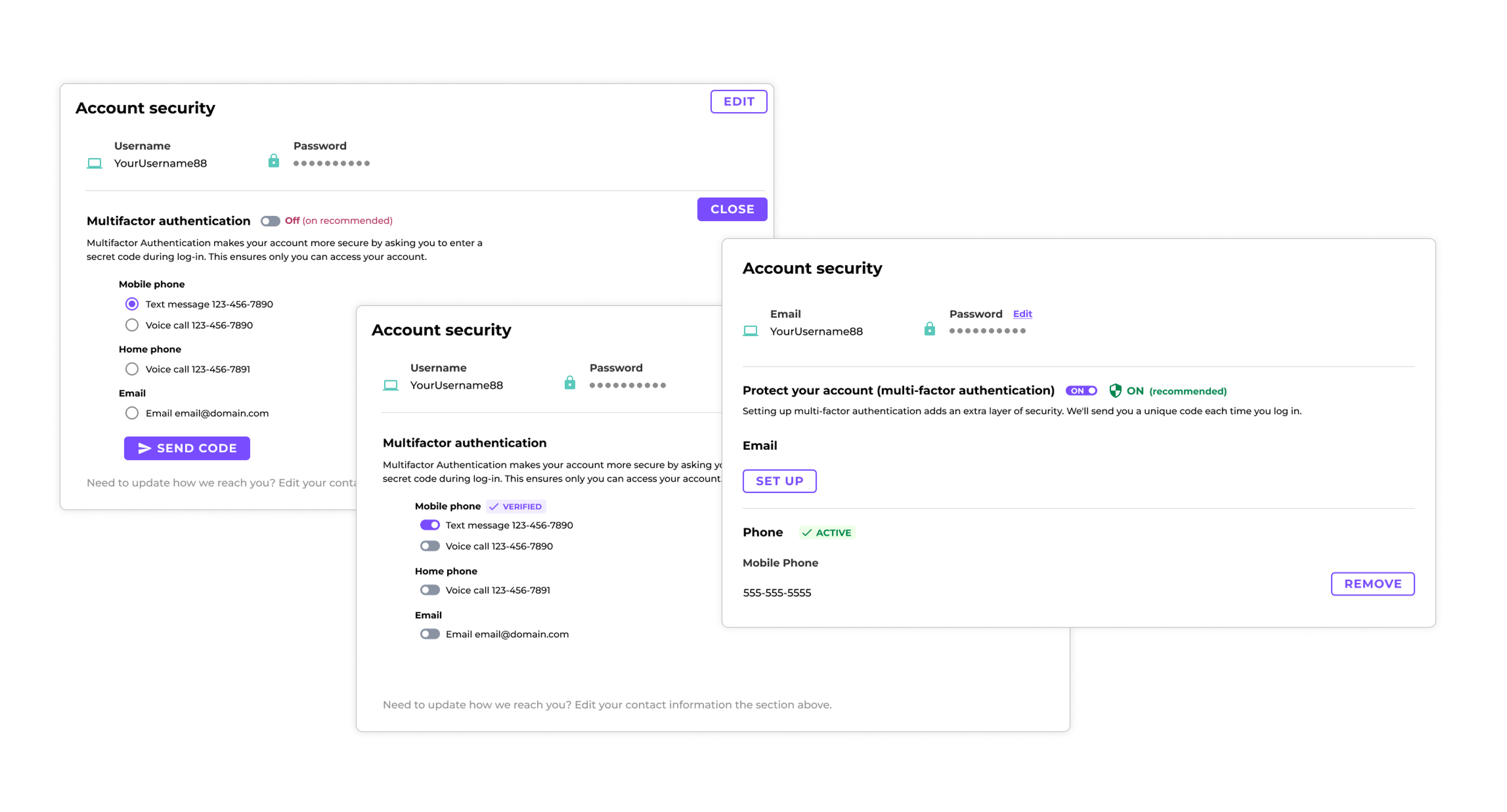
Multiple iterations of the profile multi-factor authentication setup
Outcomes
We moved forward with a flow that allows the user to toggle multi-factor on or off, set up one “factor” at a time (email or phone for now), and remove any factor at any time. This flow allows users to have control over their account security in a clear way. Going forward, we hope to add more factors and the plan is to continue to test with users and learn from this live.
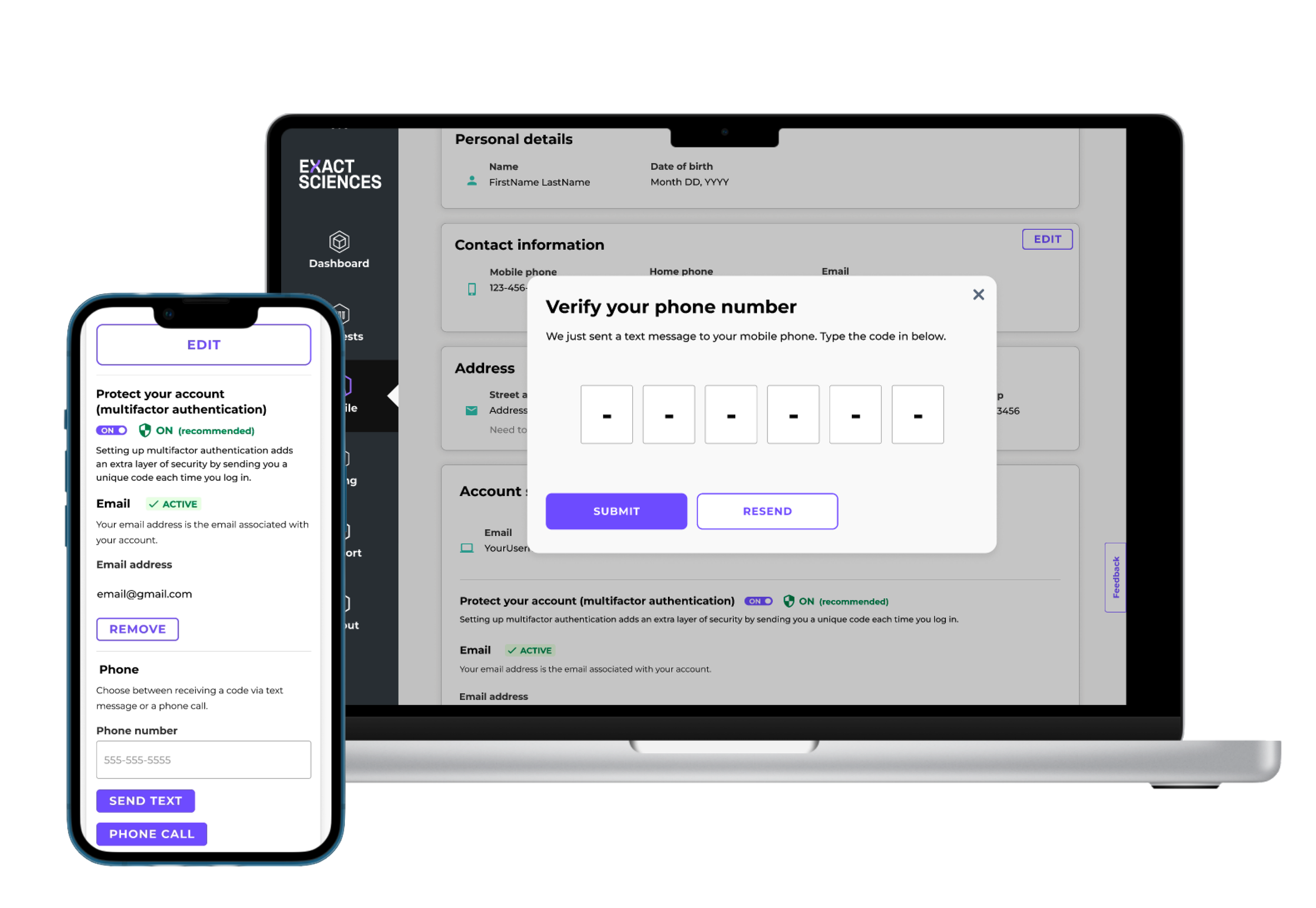
Profile multi-factor authentication on multiple devices